Gamers worldwide share a common enemy: those frustrating frame drops that turn epic gaming moments into slideshow presentations. Whether you’re landing headshots in Valorant or building fortresses in Minecraft the need for speed is real and every frame counts.
In today’s competitive gaming landscape maintaining high FPS (frames per second) isn’t just about smooth gameplay – it’s about survival. With pro players and streamers pushing their systems to the limit everyone’s looking for that extra edge. The good news? There’s a whole world of FPS boost games and optimization techniques that can transform a stuttering mess into a buttery-smooth gaming experience.
What Is FPS Boost and Why It Matters
FPS boost technology enhances frame rates in games to deliver smoother gameplay performance. This feature optimizes game settings automatically to achieve higher frames per second without requiring manual adjustments.
How FPS Affects Gaming Performance
Frame rates directly impact the visual fluidity of gameplay movement on screen. Games running at 60 FPS display 60 unique images every second, creating seamless motion compared to lower frame rates. Higher FPS reduces input lag between player actions and on-screen responses, providing a competitive edge in fast-paced games.
| FPS Range | Gaming Experience |
|---|---|
| 30 FPS | Basic playable experience |
| 60 FPS | Smooth gameplay |
| 120+ FPS | Ultra-responsive controls |
Key performance benefits of higher FPS include:
- Reduced screen tearing during fast camera movements
- Clearer motion tracking of moving targets
- Faster visual feedback for precise aiming
- Enhanced detection of enemy movements
- Improved reaction time in competitive scenarios
Modern competitive games demand higher frame rates for optimal performance. Professional esports players typically aim for 144+ FPS to maximize their competitive advantage through smoother animations enhanced visual clarity.
Popular Games That Support FPS Boost
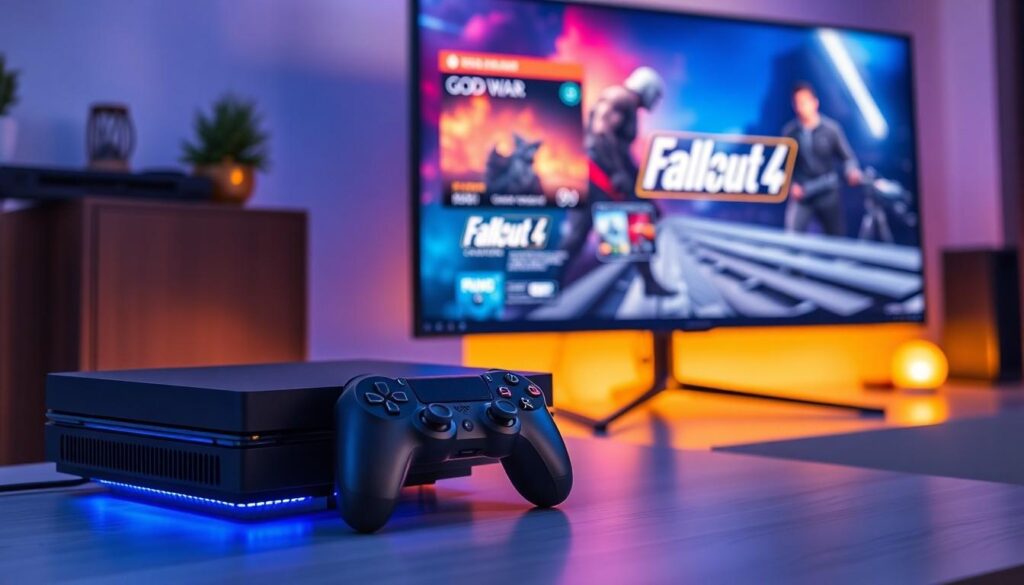
Modern gaming consoles feature advanced FPS boost capabilities that enhance performance across numerous titles. These optimizations enable smoother gameplay experiences through improved frame rates on compatible games.
Xbox Series X/S Enhanced Titles
The Xbox Series X/S supports FPS boost for over 100 backward-compatible games. Notable titles include Fallout 4 running at 60 FPS compared to its original 30 FPS. Far Cry 4 delivers enhanced visuals with frame rates up to 60 FPS on Series X. Dragon Age: Inquisition performs at 60 FPS with improved textures. Battlefield titles like Battlefield 1 reach 120 FPS during multiplayer matches. The Elder Scrolls V: Skyrim Special Edition maintains a steady 60 FPS throughout open-world exploration. Star Wars Battlefront II achieves 120 FPS performance modes on compatible displays.
PlayStation 5 Enhanced Games
PS5’s Game Boost technology improves performance across numerous PlayStation 4 titles. God of War runs at 60 FPS with 4K resolution support. Ghost of Tsushima features multiple performance modes reaching 60 FPS. Days Gone delivers enhanced frame rates up to 60 FPS with dynamic 4K resolution. The Last of Us Part II maintains 60 FPS during intense gameplay sequences. Horizon Zero Dawn performs at 60 FPS with improved visual fidelity. Ratchet & Clank: Rift Apart offers 120 FPS performance options on supported displays.
Best Settings to Maximize FPS
Optimizing game settings creates significant performance improvements without hardware upgrades. These adjustments focus on essential visual elements while removing resource-intensive effects that impact frame rates.
Display Settings
Display optimization starts with selecting the proper resolution and refresh rate settings:
- Set Display Mode to “Fullscreen” for optimal performance
- Match in-game resolution to monitor’s native resolution
- Enable “Performance Mode” in display adapter settings
- Disable V-Sync to reduce input lag
- Lower render resolution to 80-90% for immediate FPS gains
- Adjust aspect ratio to 16:9 for competitive advantage
- Set refresh rate to match monitor’s maximum capability
Graphics Options
- Reduce Shadow Quality to Medium or Low
- Set Texture Quality to Medium for balanced visuals
- Disable Motion Blur effects
- Lower Anti-Aliasing to FXAA or disable completely
- Reduce View Distance to Medium
- Turn off Ambient Occlusion
- Disable Dynamic Reflections
- Set Post-Processing to Low
- Reduce Particle Effects to minimum
- Turn off Film Grain Weather Effects
| Setting Priority | Impact on FPS | Visual Impact |
|---|---|---|
| Shadow Quality | +15-25 FPS | Moderate |
| Anti-Aliasing | +10-20 FPS | Low |
| View Distance | +20-30 FPS | High |
| Textures | +5-15 FPS | Minimal |
Hardware Requirements for FPS Boost
FPS boost features require specific hardware configurations to function optimally. The minimum system requirements vary between console and PC gaming platforms.
Console Requirements
The Xbox Series X supports FPS boost with 4K resolution at 60 FPS for select titles while maintaining HDR compatibility. The Series S delivers FPS-boosted games at 1440p resolution with frame rates up to 120 FPS. PlayStation 5 Game Boost demands the latest system software version 21.01-03.20.00 or higher with a compatible display supporting HDMI 2.1 for 120 Hz output. Xbox One X and PlayStation 4 Pro offer enhanced frame rates through Performance Mode settings on specific games at 1080p resolution.
PC Specifications
A modern gaming PC setup includes an NVIDIA RTX 3060 or AMD RX 6600 graphics card with 8GB VRAM for consistent 60+ FPS at 1080p resolution. The CPU requirements start at Intel Core i5-10400 or AMD Ryzen 5 3600 paired with 16GB DDR4 RAM running at 3200MHz. Storage options include a 500GB SSD for faster game loading times. Display requirements feature a 144Hz monitor with adaptive sync technology for tear-free gaming. The power supply unit rates at 650W 80+ Bronze to maintain system stability under gaming loads.
| Component | Minimum Specification | Recommended Specification |
|---|---|---|
| GPU | GTX 1660 6GB | RTX 3060 8GB |
| CPU | i5-9400/R5 2600 | i5-10400/R5 3600 |
| RAM | 8GB 2666MHz | 16GB 3200MHz |
| Storage | 256GB SSD | 500GB SSD |
| Monitor | 60Hz 1080p | 144Hz 1080p |
Performance vs Visual Quality Trade-offs
Graphics quality settings create a direct impact on frame rates in modern games. Lowering visual settings increases FPS performance by reducing GPU load during gameplay.
Key visual settings affecting performance include:
- Texture Quality: Reduces VRAM usage by 15-25% when set from Ultra to Medium
- Shadow Resolution: Improves FPS by 10-20% when lowered from High to Low
- Anti-aliasing: Gains 5-15% FPS by switching from MSAA to FXAA
- Ambient Occlusion: Offers 8-12% better performance when disabled
- View Distance: Increases frame rates 5-10% with reduced draw distance
| Setting | Performance Impact | FPS Gain |
|---|---|---|
| Texture Quality | High | 15-25% |
| Shadows | High | 10-20% |
| Anti-aliasing | Medium | 5-15% |
| Ambient Occlusion | Medium | 8-12% |
| View Distance | Low | 5-10% |
Competitive players optimize these specific settings:
- Post-processing: Disable motion blur bloom effects for clearer visuals
- Volumetric Lighting: Lower or disable for consistent frame timing
- Particle Effects: Reduce to minimum in multiplayer games
- Dynamic Resolution: Enable to maintain target FPS during intense scenes
These optimizations maintain competitive advantage through consistent frame rates while preserving core visual elements. Modern games include presets labeled “Competitive” or “Performance” that automatically adjust these settings for optimal FPS.
Conclusion
FPS boost technology has revolutionized gaming by enabling smoother gameplay and enhanced performance across multiple platforms. Modern consoles and PCs now offer powerful tools to maximize frame rates giving players a competitive edge in fast-paced games.
Whether through hardware upgrades optimized settings or built-in boost features gamers can now enjoy their favorite titles with unprecedented fluidity and responsiveness. The future of gaming continues to prioritize high frame rates ensuring that players can experience games at their absolute best.
Success in competitive gaming often comes down to split-second decisions and lightning-fast reactions. With FPS boost capabilities players can now focus on mastering their skills rather than wrestling with technical limitations.